Payments, trading accounts and wallet access

One Wallet. Multiple Ways to Pay

Connect local payment methods, make broker payments, pay merchants, and move funds across borders — all from one secure DM PAY wallet.

Available across 🇰🇪 Kenya 🇺🇬 Uganda 🇹🇿 Tanzania
Review rates before confirming Verified account connections Recorded transaction history
DM PAY mobile app iOS & Android
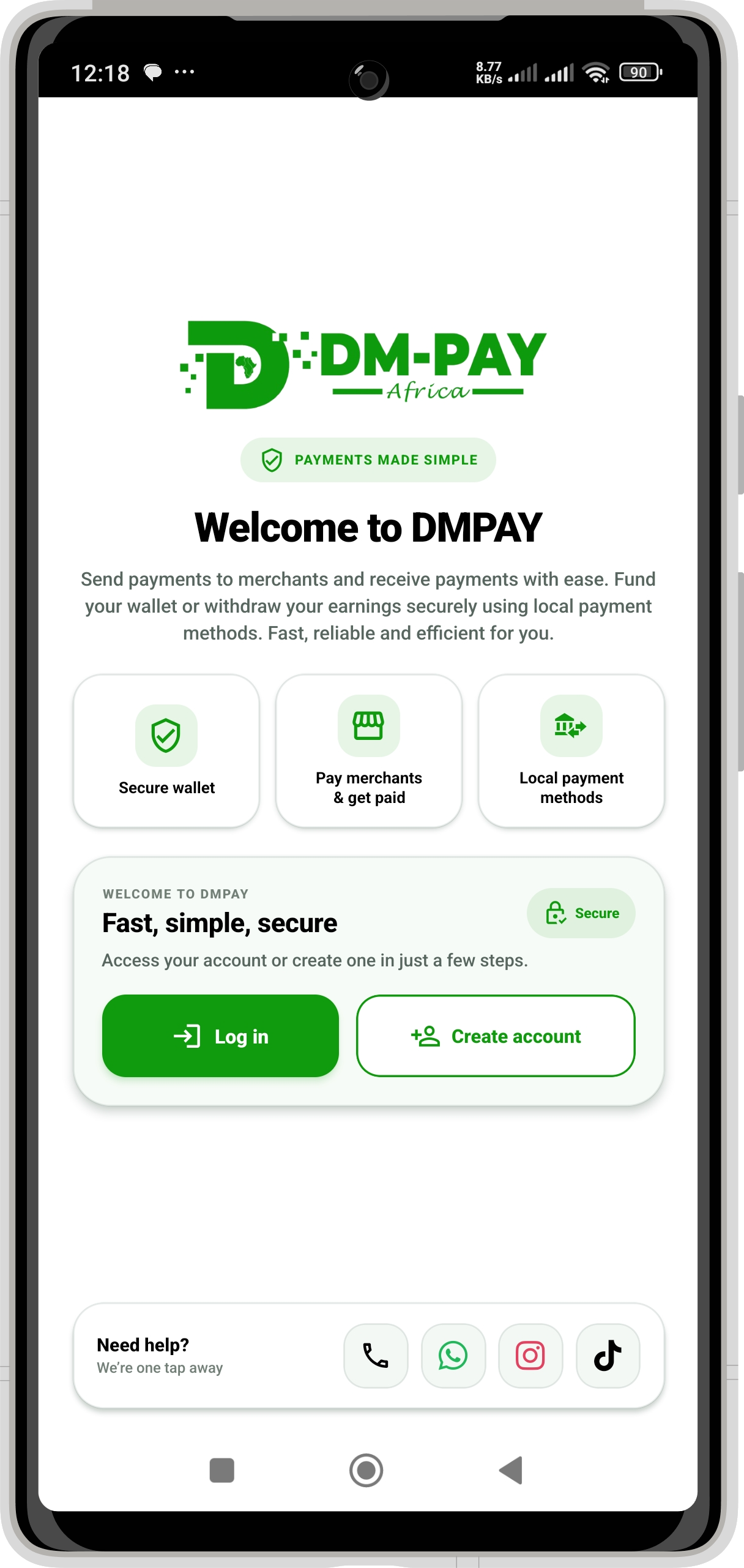
DM PAY mobile app welcome screen
Regional access

Available across Kenya, Uganda & Tanzania

Use the payment routes available for your country and account from one consistent DM PAY experience.

🇰🇪 KenyaLocal payment access
🇺🇬 UgandaSupported routes
🇹🇿 TanzaniaSupported routes
2M+ Transacted
100K+ Active Users

One platform for everyday payments, wallet activity and connected trading-account movements.

Use it your way

DM PAY wherever you manage money

Continue from a phone or sign in securely from the web.

Payment methods, currencies and payout routes depend on country and account availability.

Built around real money movement

From local payments to Deriv—and back again

DM PAY brings the routes you use most into one clear flow: choose an account, review the amount and destination, verify the transaction, and keep a record in one place.

Start withLocal payment method
Manage throughDM PAY
Options Trading Deriv Wallet M-Pesa & banks
01
Trading account deposits

Fund the account you intend to use

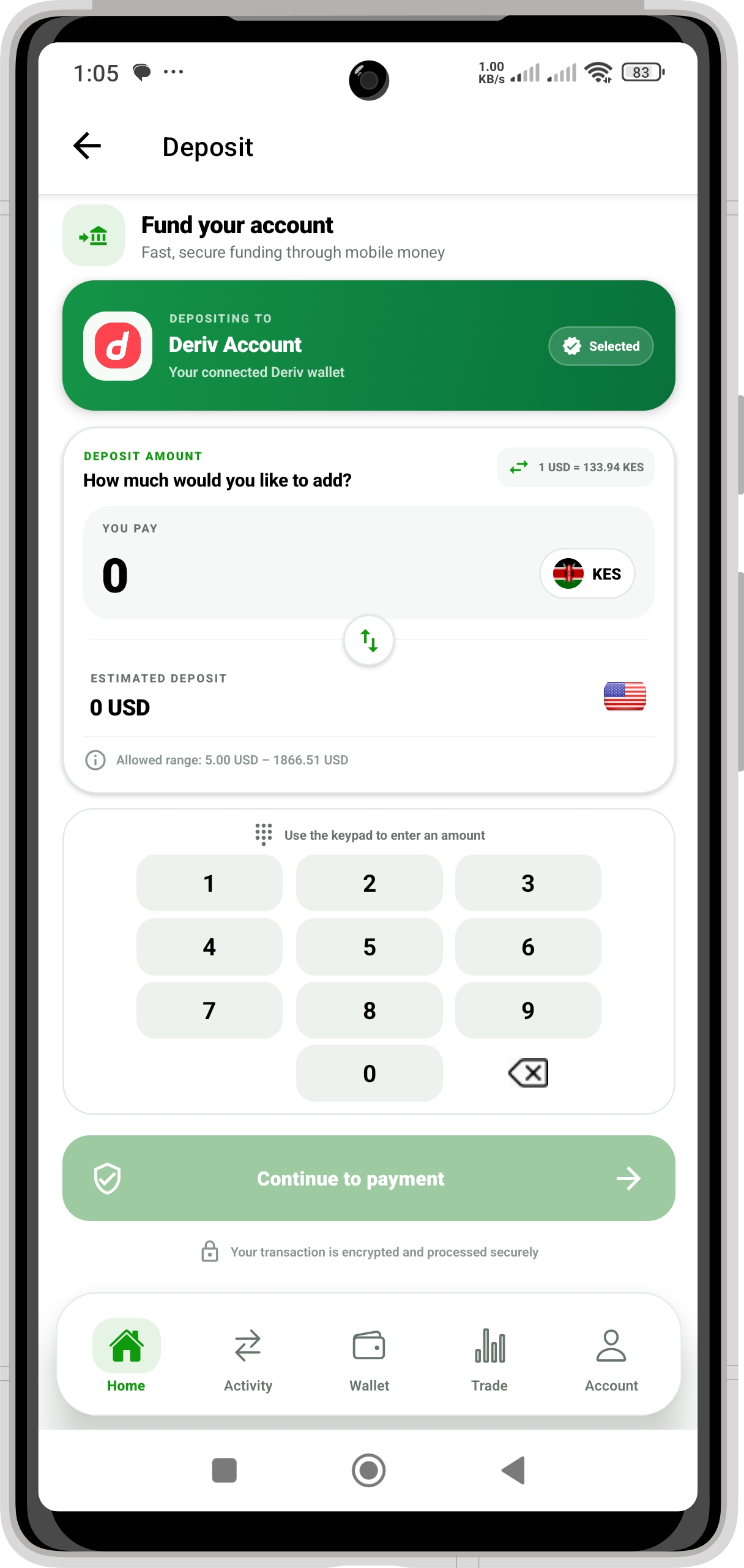
Deposit with a supported local payment method and choose either your Deriv Options Trading Account or Deriv Wallet as the destination. For direct Options deposits, DM PAY completes the required wallet-to-Options movement after the Deriv deposit succeeds.

  • Deriv Options Trading Account
  • Deriv Wallet
  • Clear local and USD amount review
Withdrawals

Withdraw from Options or Deriv Wallet

Choose the source of funds, then receive money through M-Pesa, your DM PAY Wallet, or a linked local bank account where that route is supported.

Connected transfers

Move funds between trading and wallet accounts

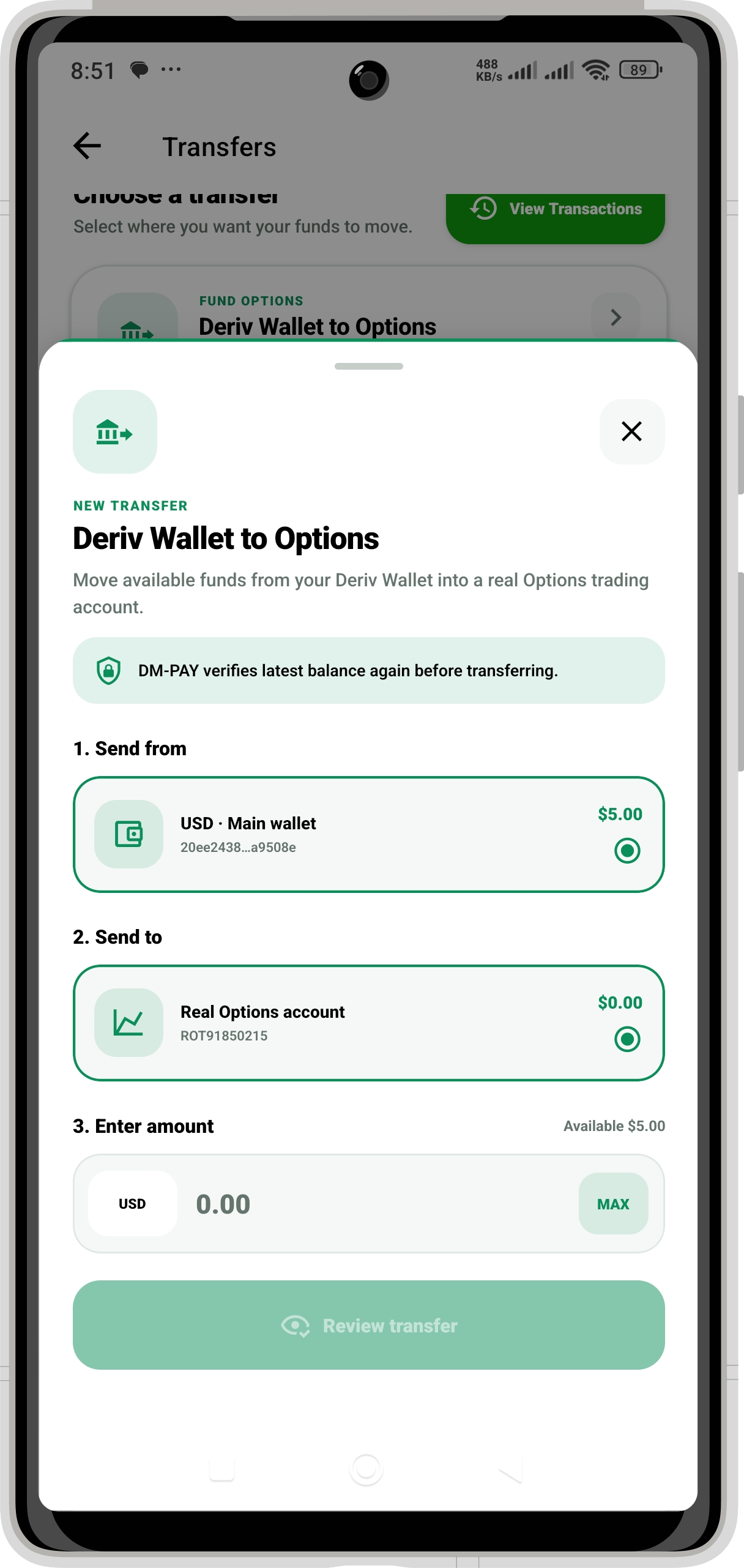
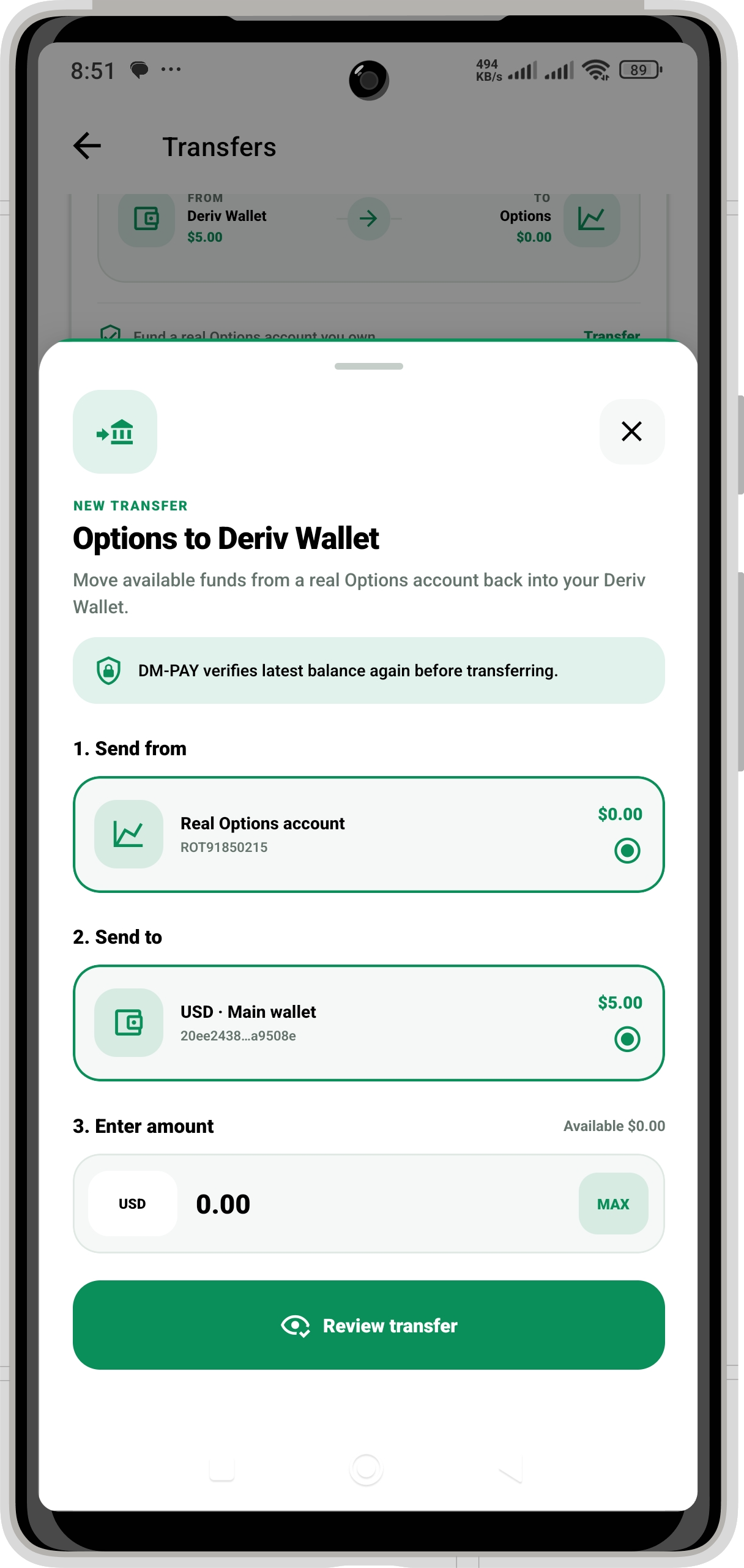
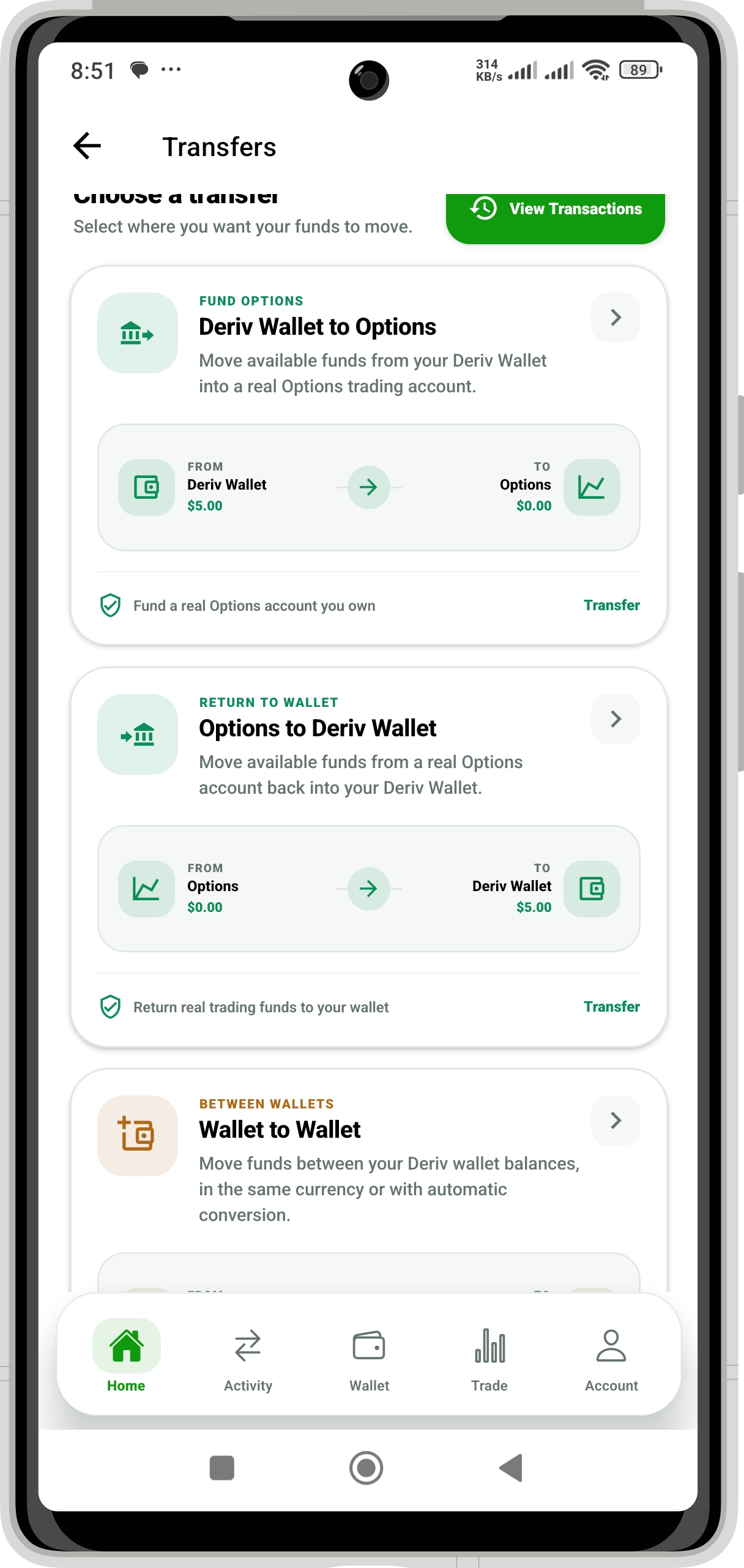
Transfer from Deriv Wallet to Options, from Options back to Deriv Wallet, or between supported Deriv wallet currencies from the same transfer workspace.

DM PAY Wallet

Everyday wallet and local payments

View your balance and activity, receive or send funds, withdraw, and use supported services including Send Money, Paybill and Buy Goods / Till payments.

One account across supported markets

Access DM PAY in Kenya, Uganda and Tanzania. The exact local payment, currency and cross-market routes shown in your account depend on availability in your country.

One connected experience

Know where your money is coming from—and where it is going

Every flow starts with a clear source and destination, so you can choose the right route before entering transaction details.

01 / Deposits

Fund your trading account from a local payment method

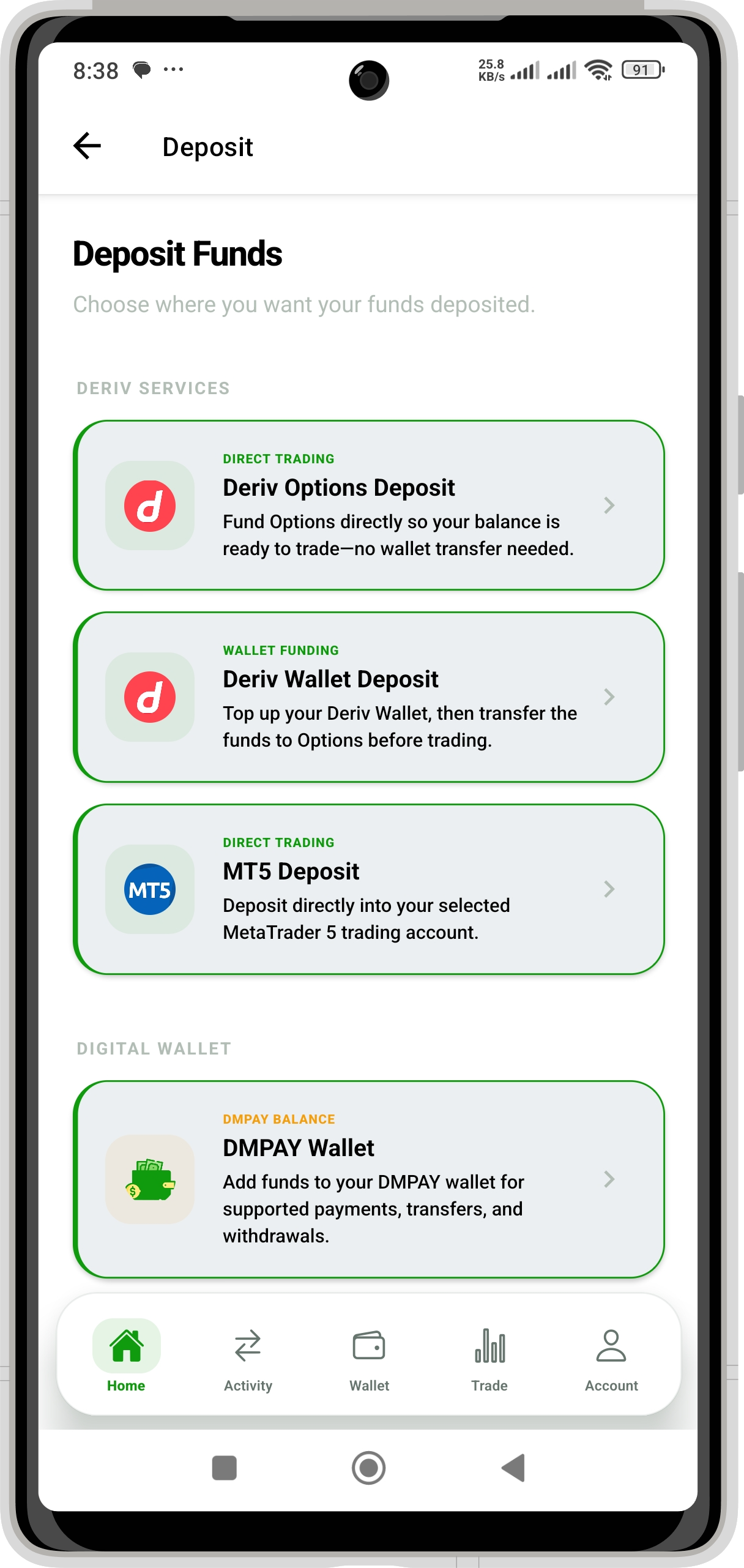
Select Deriv Options Deposit when the funds are intended for direct trading, or choose Deriv Wallet Deposit when you want them to remain in your Deriv Wallet.

Choose the destination first Review the rate and USD value Options movement follows a successful wallet deposit
Deposit with DM PAY
DM PAY screen for choosing a Deriv Options, Deriv Wallet or DM PAY Wallet deposit
Choose where to deposit
DM PAY deposit amount and local payment review screen
Review the amount
02 / Withdrawals

Withdraw from Deriv to your preferred destination

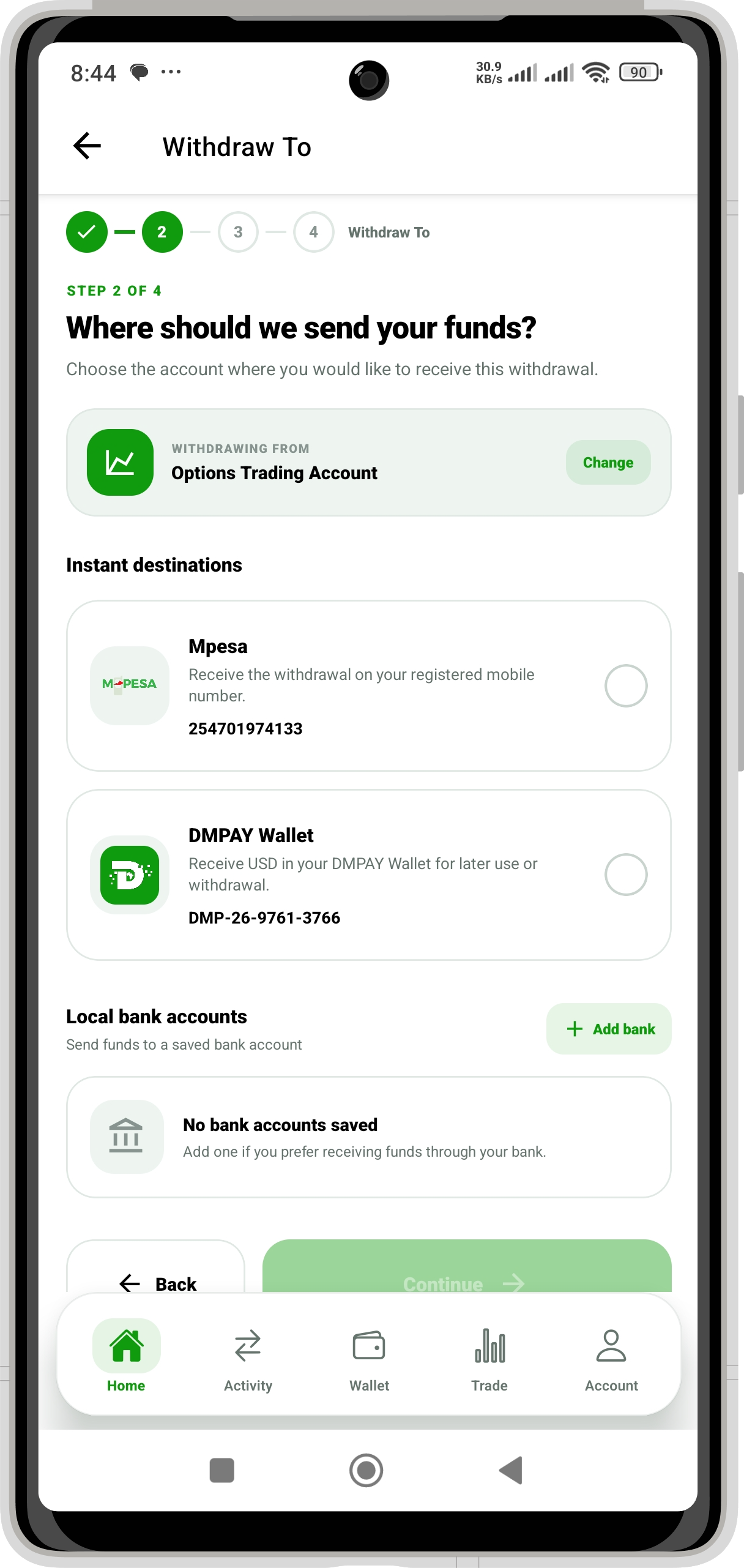
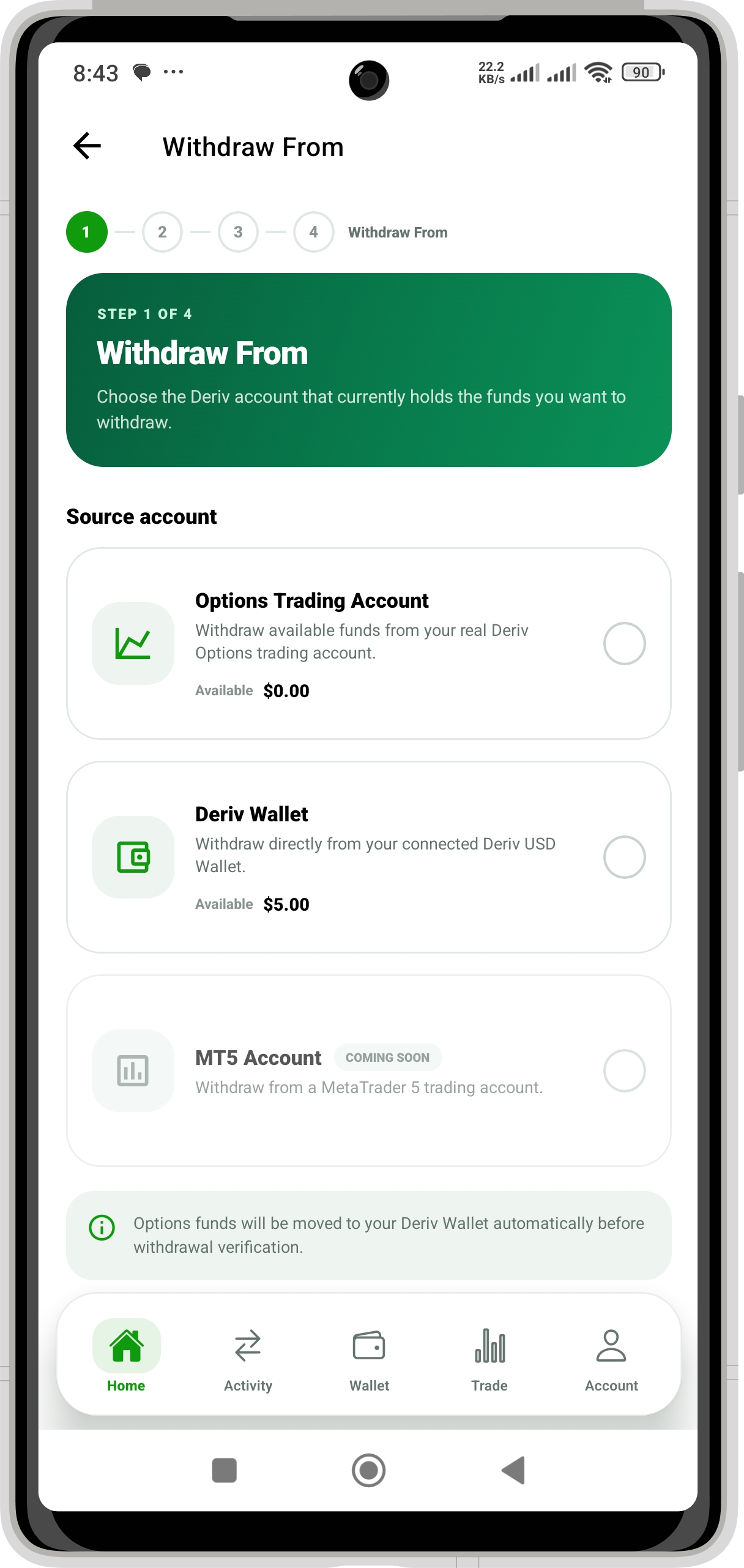
Start with the account holding your funds—Options Trading or Deriv Wallet—then choose M-Pesa, DM PAY Wallet, or a linked local bank where supported.

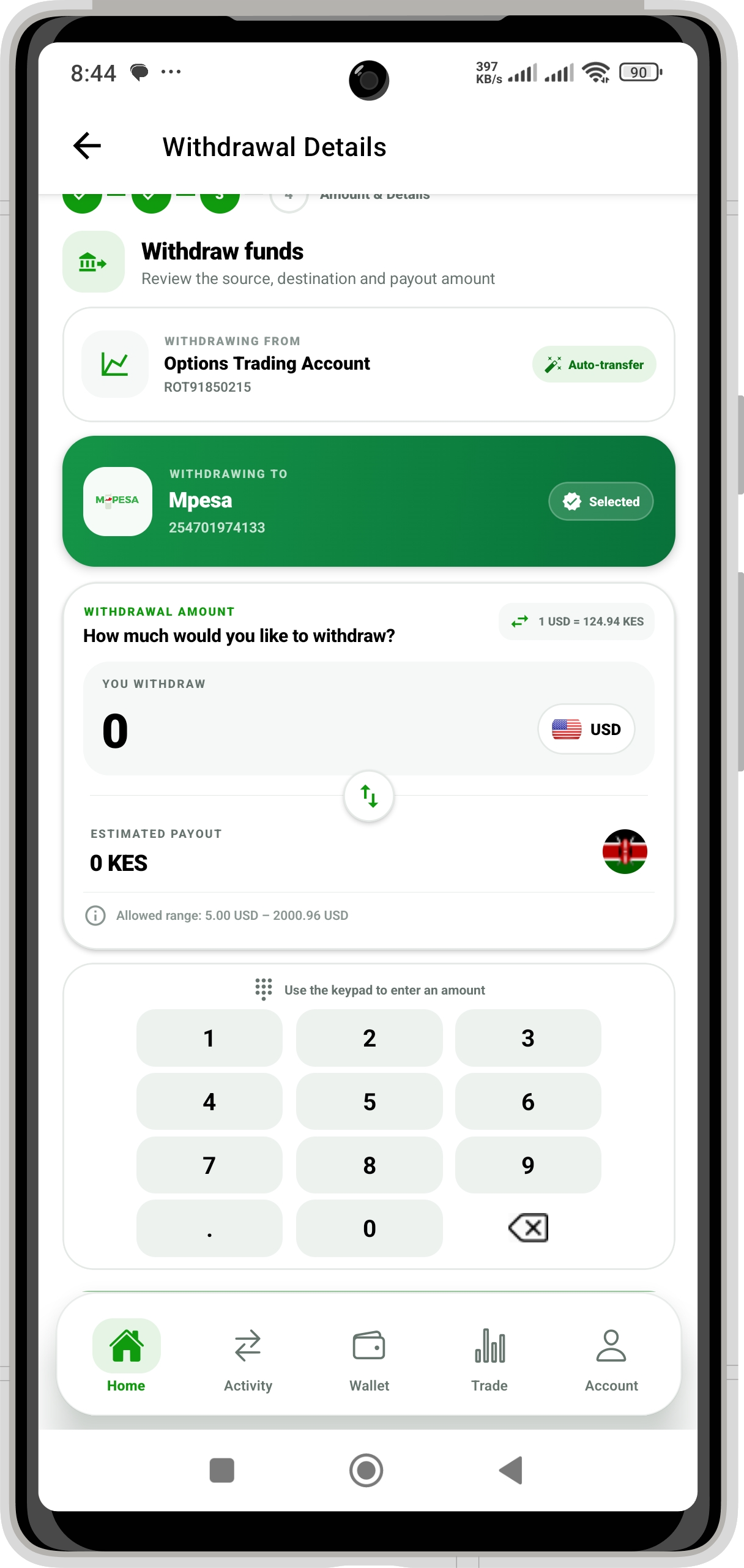
If you withdraw from Options, DM PAY explains and performs the required Options-to-Wallet transfer before continuing to withdrawal verification.

OptionsDeriv WalletM-Pesa
Withdraw with DM PAY
DM PAY withdrawal destinations including M-Pesa, DM PAY Wallet and linked local banks
Choose where to receive funds
DM PAY Options Trading Account to M-Pesa withdrawal details screen
Confirm withdrawal details
03 / Transfers

Move funds between connected accounts

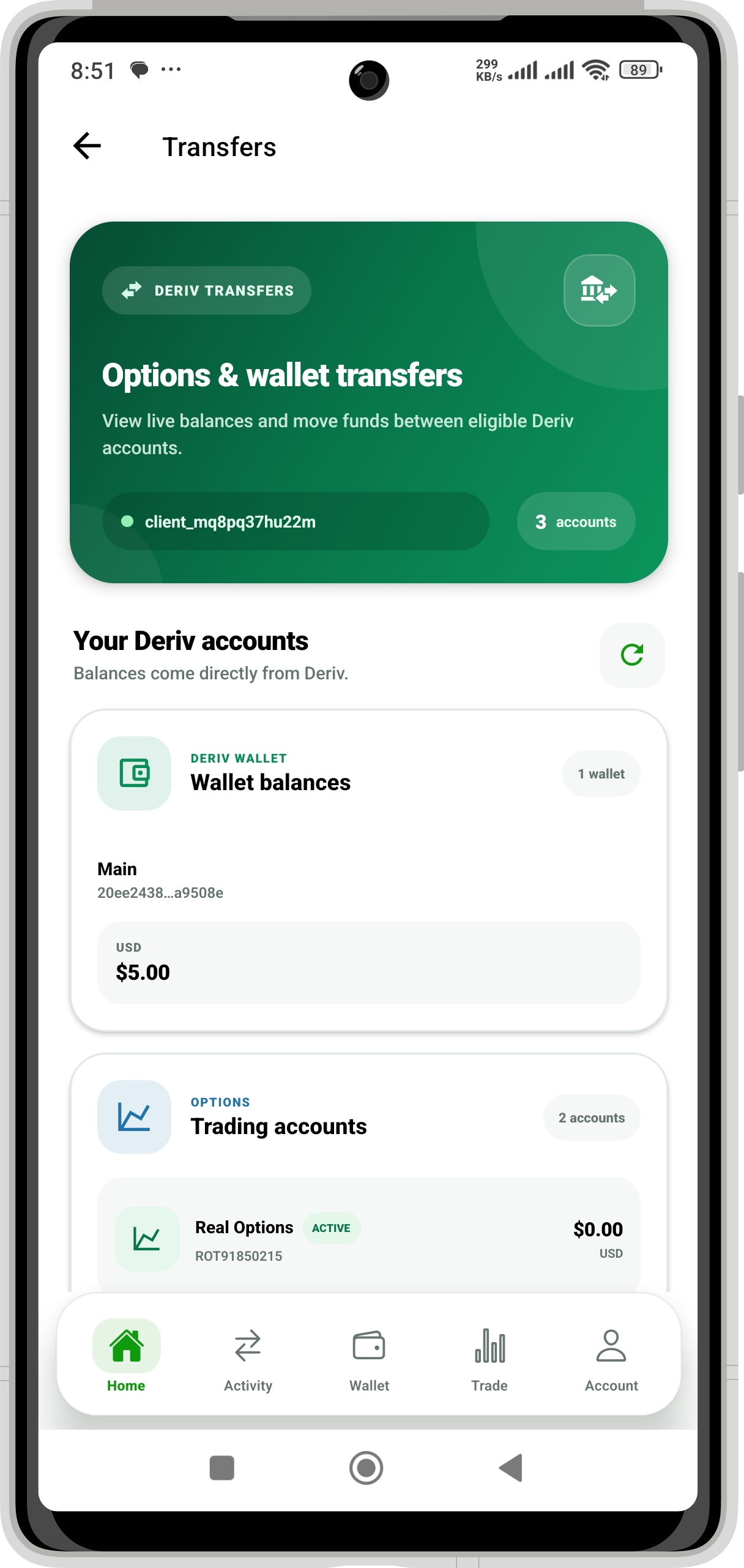
See your available Deriv Wallet and Options balances before choosing a transfer route. Move funds in either direction without leaving the DM PAY transfer flow.

  • Deriv Wallet Options Trading Account
  • Options Trading Account Deriv Wallet
  • Wallet-to-wallet transfers in supported currencies
Open Transfers
DM PAY connected Deriv wallet and Options account balances
See connected balances
DM PAY Deriv transfer routes including Wallet to Options and Options to Wallet
Select a transfer route
04 / DM PAY Wallet

Manage payments and wallet activity in one place

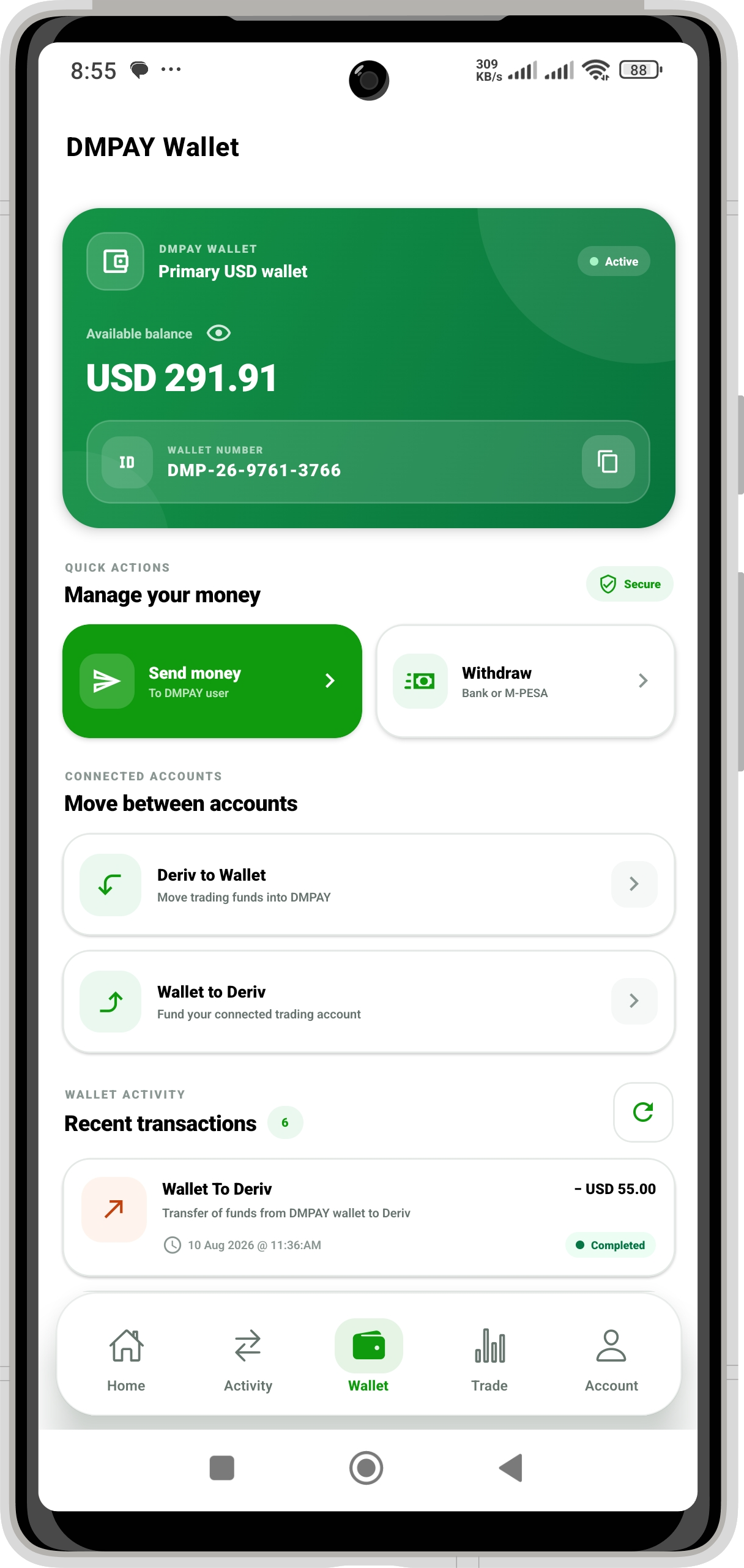
Your DM PAY Wallet brings balance, connected-account movements and local payment services into one view. Send to another DM PAY user, withdraw to a supported destination, or use local payment actions such as Paybill and Buy Goods.

Send Money Paybill Buy Goods / Till M-Pesa Bank withdrawal
Open your wallet
DM PAY Wallet screen showing balance, send money, withdrawals and local payment services
DM PAY Wallet and local payment tools
The real DM PAY experience

See the product before you sign in

Explore the actual mobile experience for deposits, withdrawals, transfers, wallet services and account security.

DM PAY Welcome screen: Start with DM PAY on mobile
Welcome Start with DM PAY on mobile
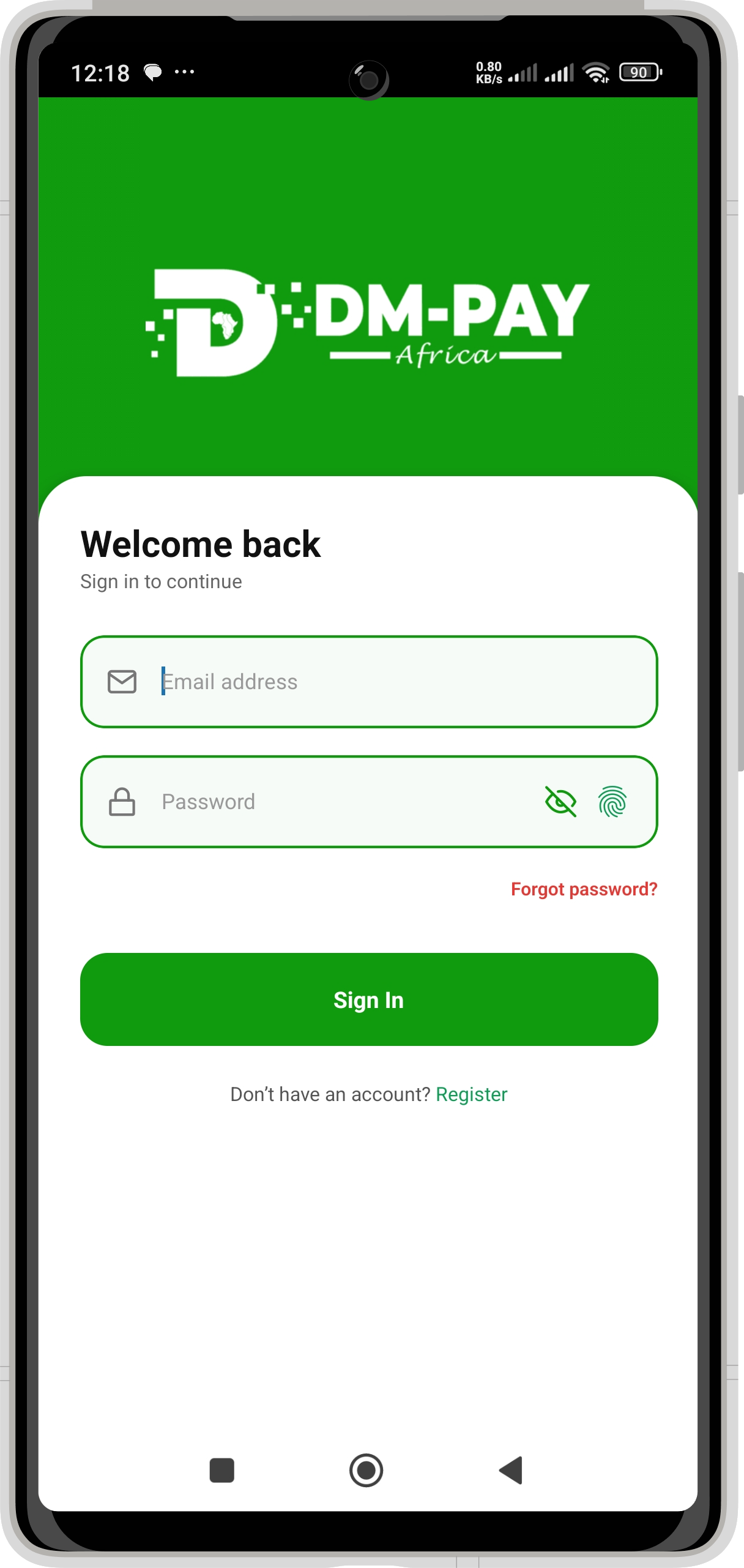
DM PAY Secure sign in screen: Access your account
Secure sign in Access your account
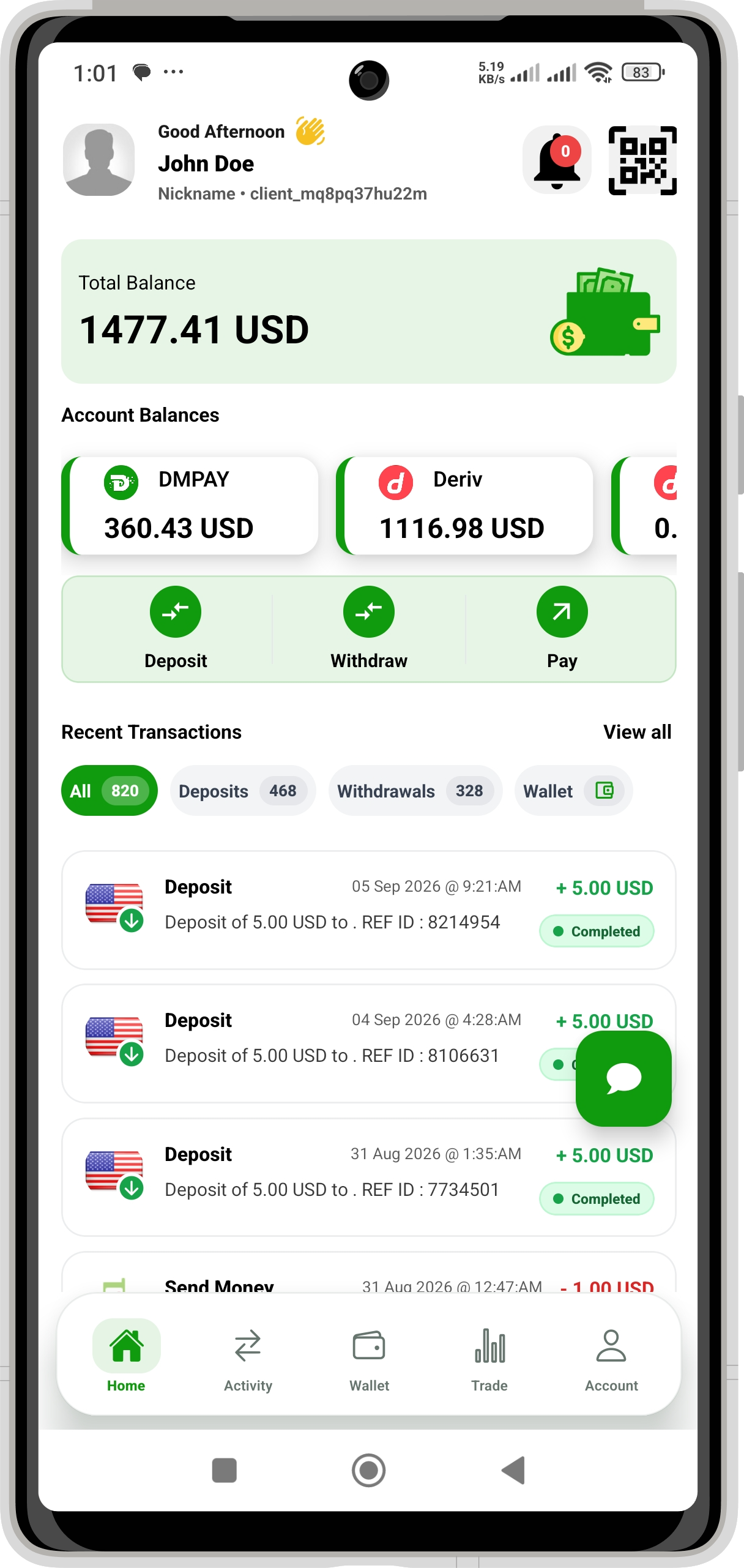
DM PAY Account overview screen: Balances and recent activity
Account overview Balances and recent activity
DM PAY Deposit destination screen: Choose Options, Wallet or DM PAY
Deposit destination Choose Options, Wallet or DM PAY
DM PAY Deposit review screen: Review local and USD amounts
Deposit review Review local and USD amounts
DM PAY Withdrawal source screen: Options or Deriv Wallet
Withdrawal source Options or Deriv Wallet
DM PAY Payout destination screen: M-Pesa, Wallet or local bank
Payout destination M-Pesa, Wallet or local bank
DM PAY Withdrawal details screen: Confirm before verification
Withdrawal details Confirm before verification
DM PAY Connected balances screen: Wallet and Options accounts
Connected balances Wallet and Options accounts
DM PAY Transfer routes screen: Move funds between accounts
Transfer routes Move funds between accounts
DM PAY Wallet to Options screen: Fund a trading account
Wallet to Options Fund a trading account
DM PAY Options to Wallet screen: Move funds back to Wallet
Options to Wallet Move funds back to Wallet
DM PAY DM PAY Wallet screen: Payments, activity and withdrawals
DM PAY Wallet Payments, activity and withdrawals
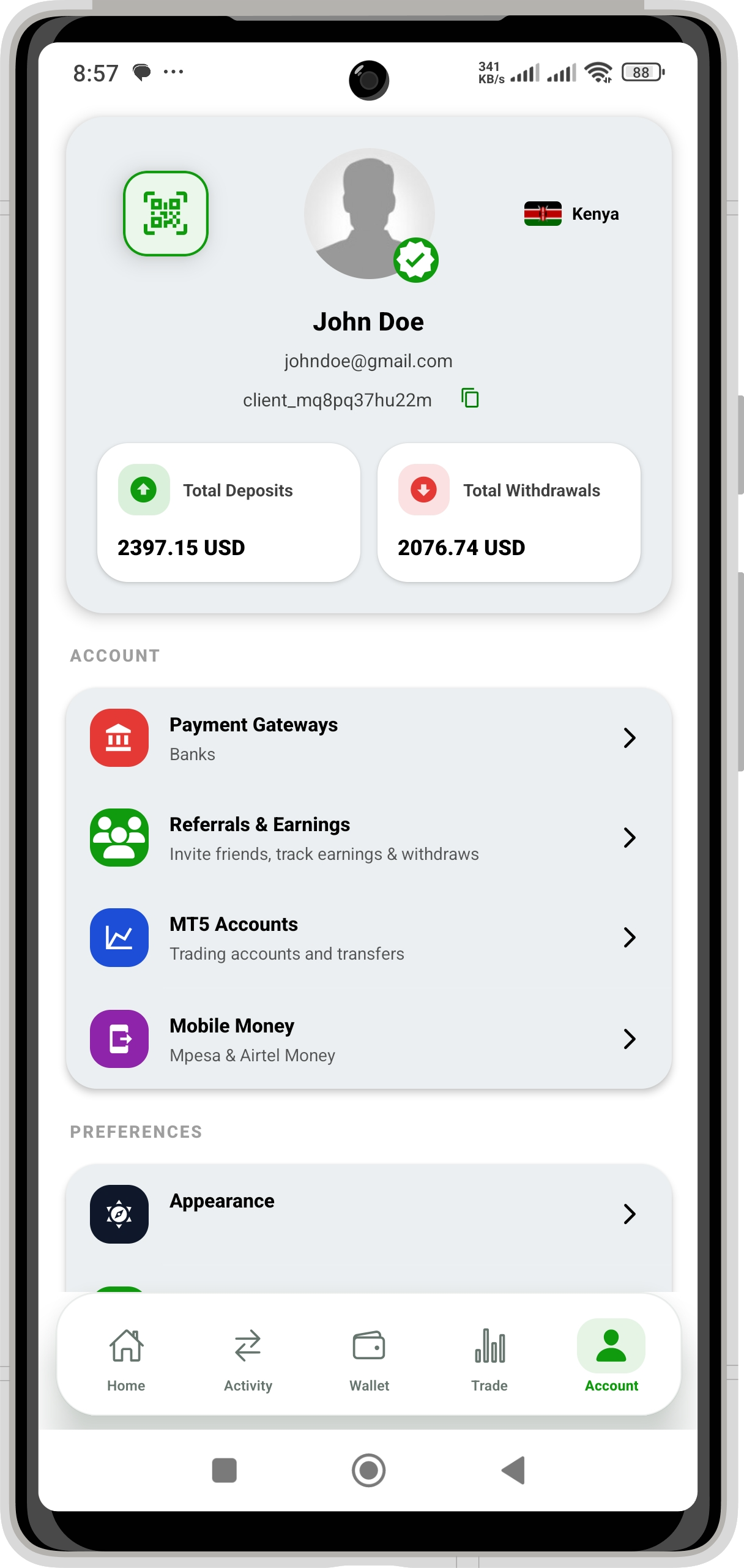
DM PAY Account & services screen: Gateways, referrals and profile
Account & services Gateways, referrals and profile
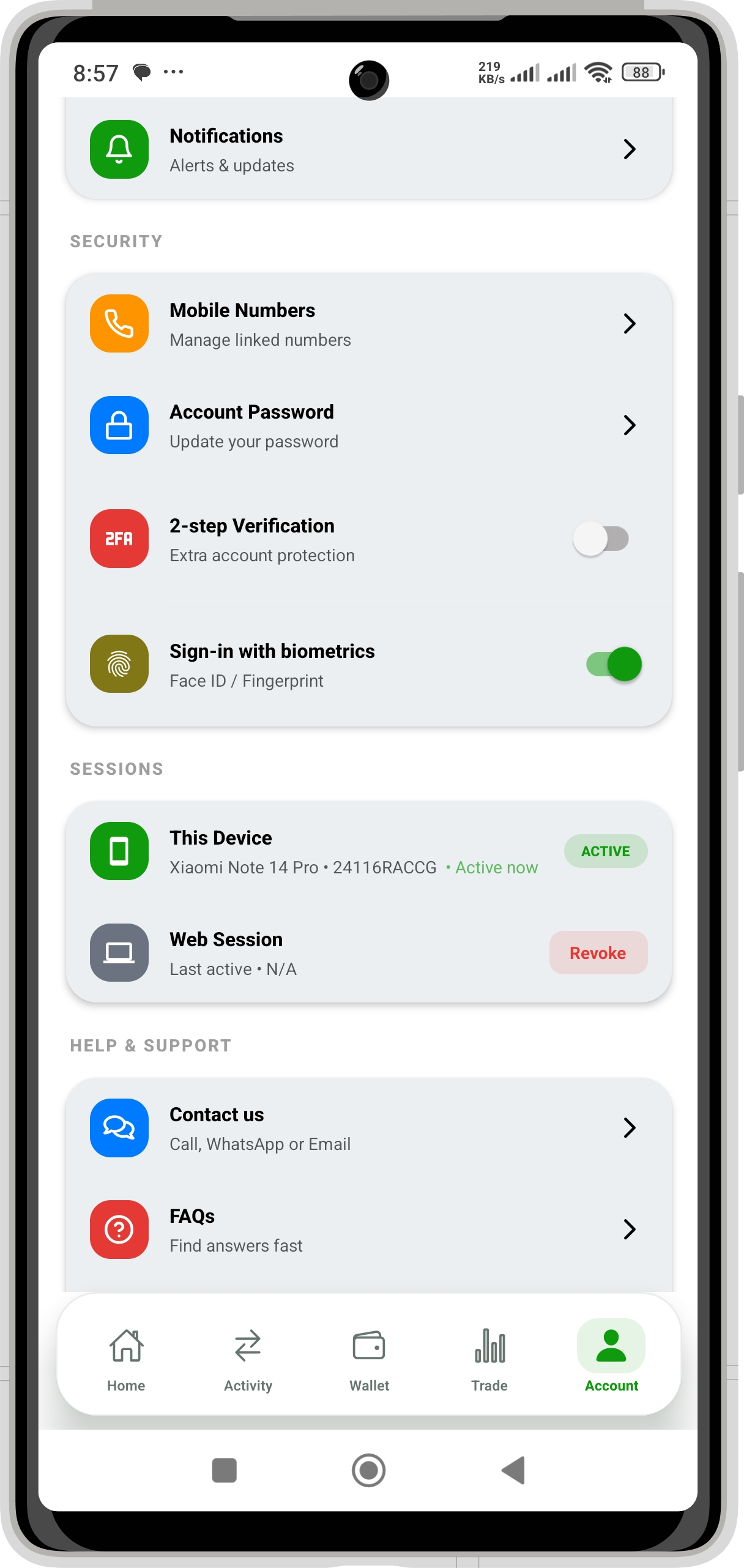
DM PAY Security settings screen: Authentication and sessions
Security settings Authentication and sessions

Swipe or scroll to explore the app

How DM PAY works

A clear path from account setup to completed transaction

Create one DM PAY account, connect the accounts you use, and select the right source and destination for each transaction.

  1. 01

    Create your DM PAY account

    Register on mobile or web, then sign in to your personal DM PAY workspace.

  2. 02

    Connect supported accounts

    Link the trading, wallet or payout details needed for the route you want to use.

  3. 03

    Choose source and destination

    Select where funds are coming from, where they should go, and review the amount.

  4. 04

    Verify and track

    Complete any required verification and follow the resulting transaction in your history.

Ready to set up your account? Registration is available from the web and mobile apps.
Create account
Control and verification

Security settings you can see and manage

DM PAY provides practical account controls throughout sign-in and money movement—without hiding important actions behind vague promises.

Secure account accessPassword access, optional two-step verification and supported biometric sign-in.
Transaction verificationVerification is required at sensitive points in supported withdrawal flows.
Session controlsReview active sessions and revoke access you no longer recognize.
Visible transaction historyReview activity, status and transaction references from your account.
Your security centreManage authentication and sessions
DM PAY security settings with password, two-step verification, biometrics and active sessions
Helpful answers

Common questions about Deriv deposits and withdrawals

Find the basics here, or contact the DM PAY support team for help with your account or a specific transaction.

Create or sign in to DM PAY, connect your supported Deriv account, choose Deriv Options Deposit or Deriv Wallet Deposit, enter the amount and complete the prompted local payment. A direct Options deposit is moved onward only after the Deriv Wallet deposit succeeds.

Yes, where M-Pesa is supported. Choose whether the funds are in your Options Trading Account or Deriv Wallet, select M-Pesa as the destination, review the payout details and complete the required verification.

Linked local bank accounts appear as a withdrawal destination where supported. Available payout routes depend on your country and account configuration.

Yes. DM PAY supports transfers from Deriv Wallet to a real Options account and from a real Options account back to Deriv Wallet, with available balances shown before confirmation.
Start with DM PAY

Your wallet for trading, payments and everyday money movement.

Download the mobile app or open DM PAY on the web. Choose the platform that works for you.

🇰🇪 Kenya 🇺🇬 Uganda 🇹🇿 Tanzania